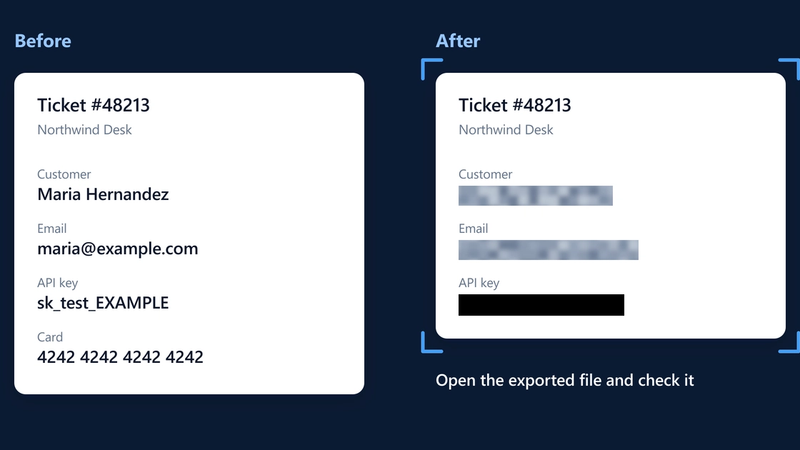
How to Redact a Screenshot on Windows, Mac and Chrome (and When Blur Isn't Enough)
Redact a screenshot on Windows, Mac or Chrome: when to crop, when to cover, why blur isn't for secrets, and how to check the file before you send it.
Topic
5 articles

Redact a screenshot on Windows, Mac or Chrome: when to crop, when to cover, why blur isn't for secrets, and how to check the file before you send it.

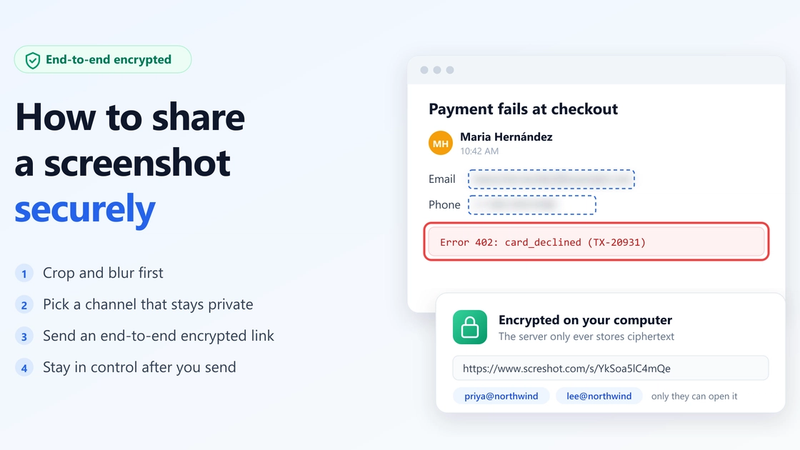
Share a screenshot securely in 4 steps: crop and blur first, pick a safe channel, send an end-to-end encrypted link, and stay in control after you send.

Blur names, emails and similar details in a screenshot with a 4-step method in Chrome, and know when blur is the right choice and when to crop instead.

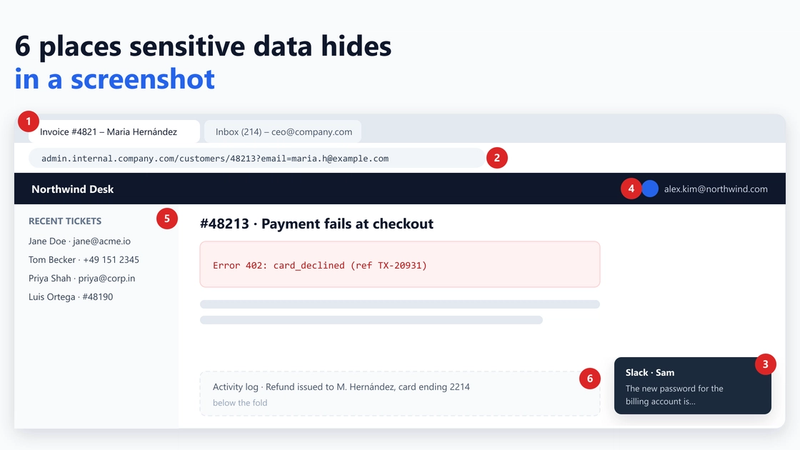
The field you meant to share is rarely the leak. Six places personal and internal data hide in screenshots, with a fix for each and a 10-second check.

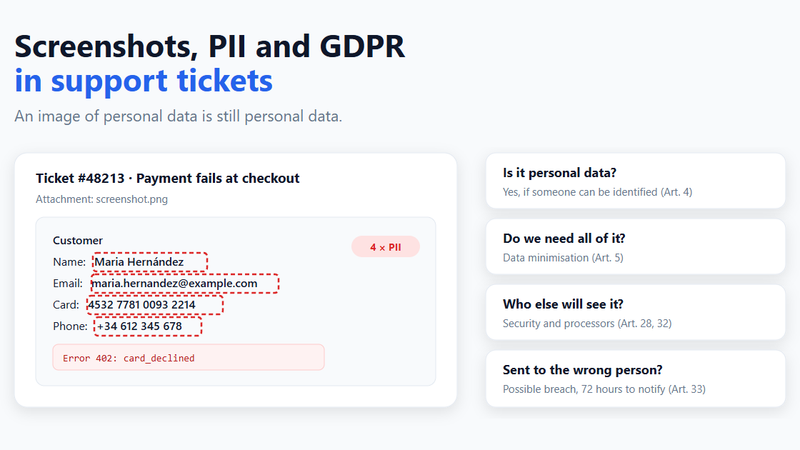
Screenshots in support tickets are personal data under GDPR. What that means for your team, when a leaked screenshot is a breach, and a policy you can adopt today.